
Appearance
Administrators
Use Administrators to add and manage club admin access.
Before You Start
- You are logged in as a club administrator.
- Your plan has at least one available admin slot.
Key Rules
- The maximum number of administrators depends on your current plan.
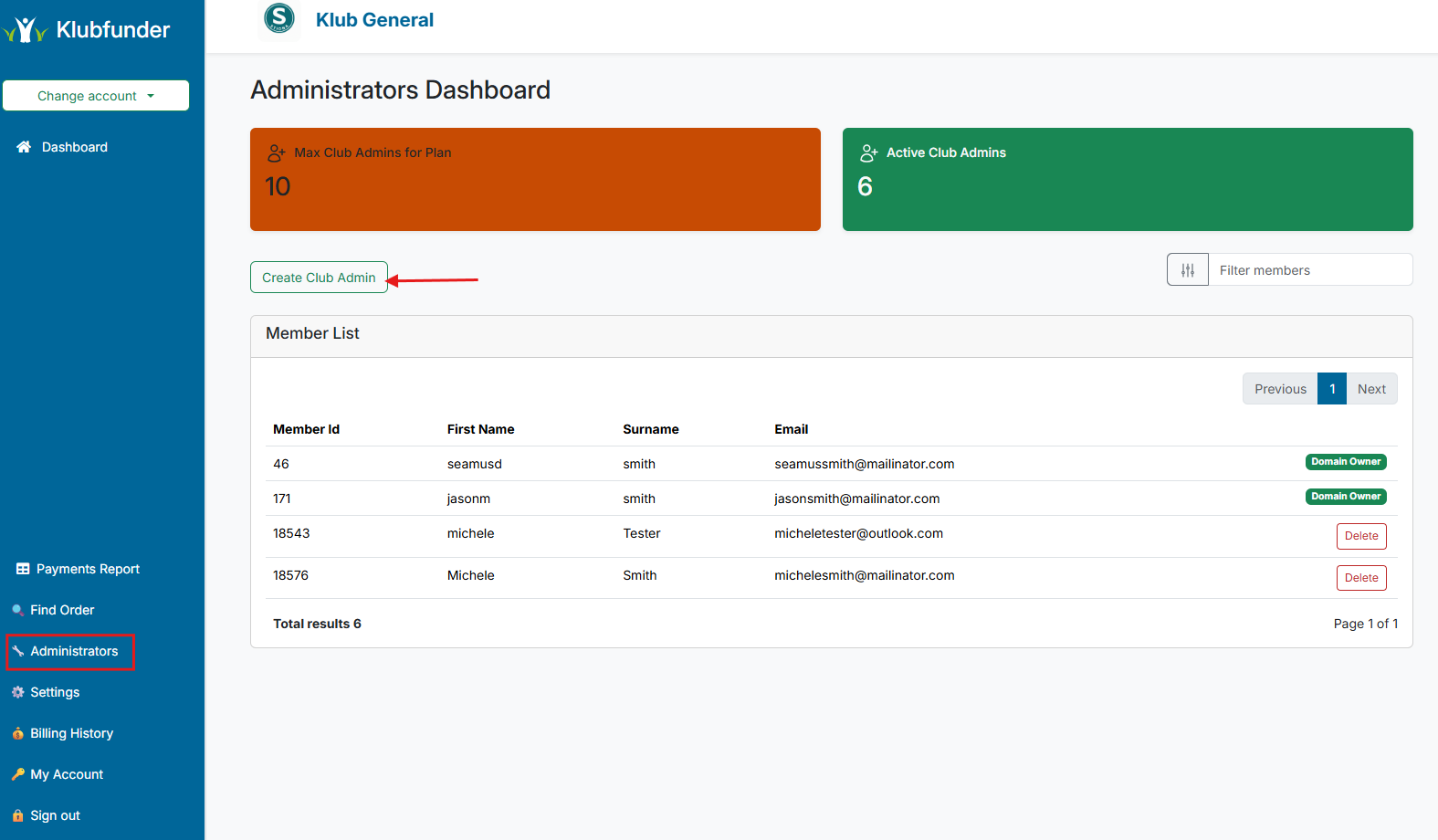
- The current limit is shown in the orange card on the page.
Add a New Administrator
Steps
- Open Administrators from the sidebar.
- Click Create Club Admin.
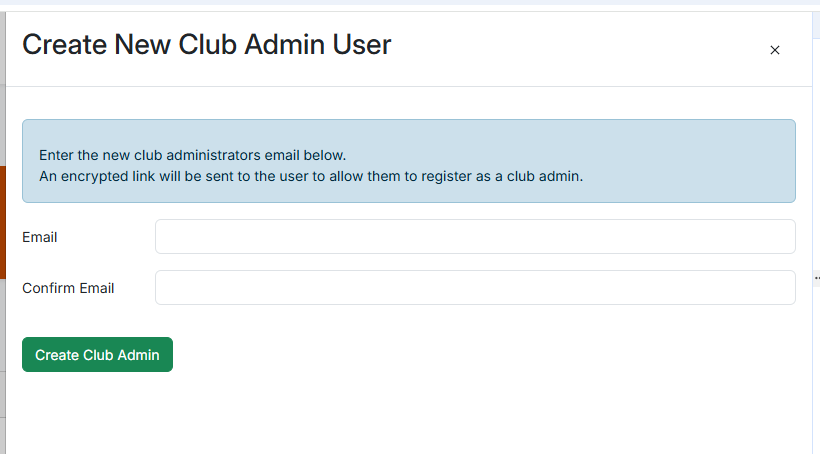
- Enter the user's email address.
- Confirm creation.
What Happens Next
- If the email already belongs to an existing user, admin access is granted immediately.
- If the user does not yet exist, an invitation email is sent and the user appears after registration is complete.
Troubleshooting
Maximum Administrators Reached
If you reach the plan limit, you must remove an existing administrator or upgrade your plan before adding another.