Appearance
🛍️ Online Shop Dashboard
The Online Shop Dashboard is the central hub for managing your club’s online shop on Klubfunder.
After logging in as a Club Admin, click Shop – Manage from the Admin Dashboard to access this screen. From here, you can view your club’s online shop, create and manage products or product packs, and process customer orders — all in one place.
📌 Note: The Online Shop allows clubs to sell merchandise, bundles, and limited-time offers directly to supporters.
📂 Online Shop Sidebar Overview
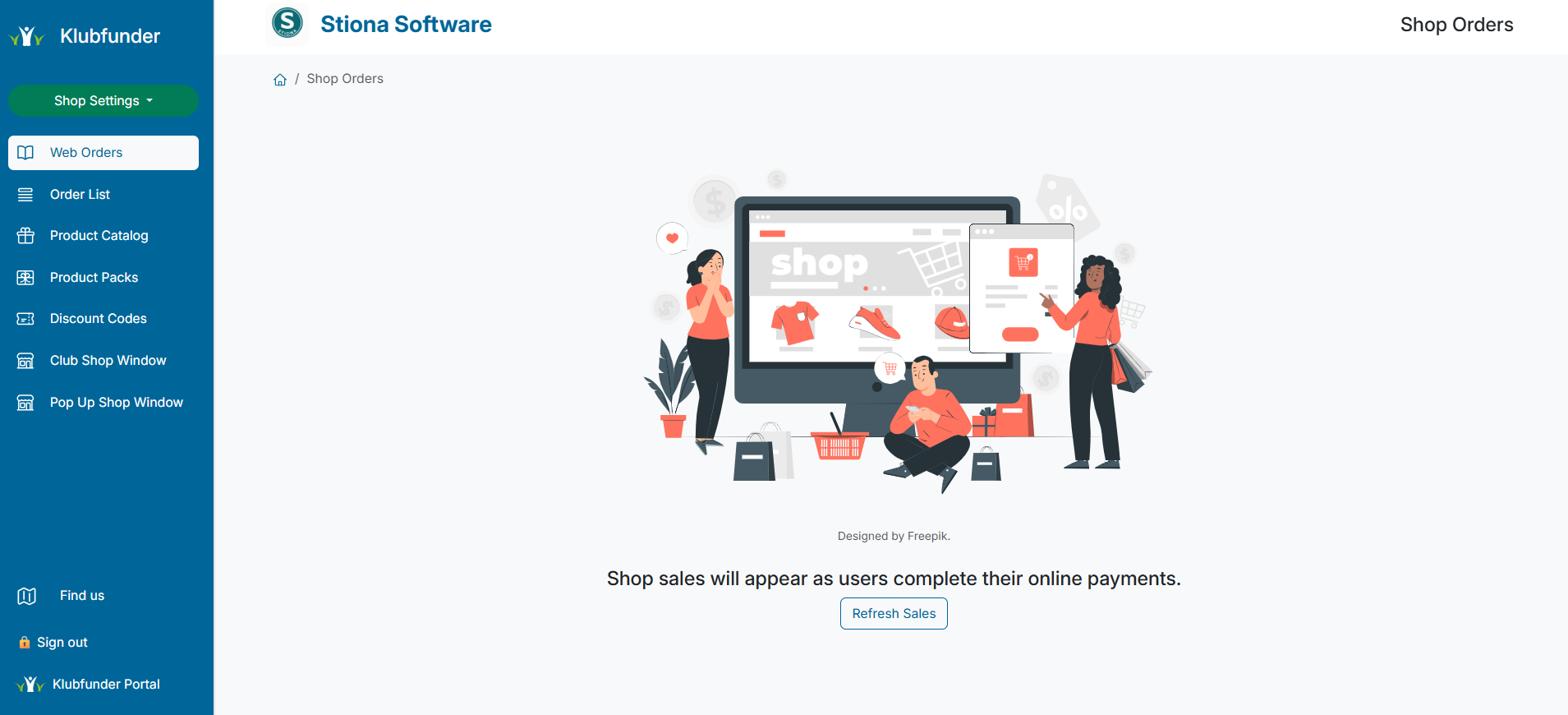
The Online Shop Dashboard sidebar is organised into 8 key sections, giving you quick and easy access to all shop management tools.
⚡ Shop Settings (Quick Menu)
A quick-access drop-down menu for common shop configuration tasks, including:
- 🗂️ Manage Shop Categories
- 🚚 Update Delivery Options
- 📏 Maintain the Size Guide
This menu allows you to make fast updates without leaving the dashboard.
🧾 Web Orders
Displays all orders placed through the online shop as customers complete their payments.
Use this section to monitor incoming sales in real time.
📦 Order List
Provides a detailed view of all shop orders, including:
- Order status
- Grouped order information
- Reporting and overview tools
Ideal for order management and fulfilment tracking.
🛒 Product Catalogue
Create and manage products available in your shop.
From here, you can:
- Add new products
- Edit existing products
- Archive products that are no longer available
🎁 Product Packs
Used to create and manage Product Packs (Bundles).
This allows clubs to:
- Offer bundled products at special prices
- Archive packs that have expired or are no longer active
🏷️ Discount Codes
Create and manage discount codes for promotions such as:
- Seasonal sales
- Clearance offers
- Member-only discounts
🪟 Club Shop Window
Preview how the online shop appears to customers.
This section allows you to:
- View all live products
- Select products to feature on the Featured tab
🪟 Pop-Up Shop Window
Used to manage limited-time Pop-Up Shops.
This allows clubs to:
- Run temporary shops alongside the main store
- Promote special events or exclusive merchandise
✅ Summary
The Online Shop Dashboard gives clubs everything needed to manage products, orders, and promotions, making it easy to run a professional online shop for supporters and members.