
Appearance
How to Set Up a General Payment Type
A General Payment Type allows your club to collect flexible payments that don’t fit into a fixed price structure.
This is ideal for:
- Fines
- Missed payments
- Donations
- Miscellaneous club charges
This guide will show you how to:
- Create a General Payment Type
- Configure the payment details
- Allow members to submit payments بسهولة
💡 Why Use General Payments?
General payments give your club flexibility to collect payments where:
- The amount may vary
- The reason for payment differs per member
- A structured product or ticket isn’t required
This makes it perfect for one-off or ad-hoc payments.
🧭 Navigate to General Payment Setup
To begin:
- Log in to your Club Admin Dashboard
- Navigate to Set Up Fundraiser
- Select General Payment Type
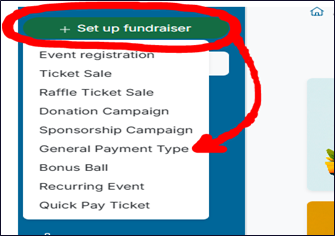
➕ Create a General Payment Type
On the setup screen, enter the following details:
Payment Name
Give your payment a clear and recognisable name.
Examples:
- Club Fine Payment
- Missed Training Fee
- General Donation
Description
Provide a short description explaining:
- What the payment is for
- When it should be used
- Any relevant instructions for members
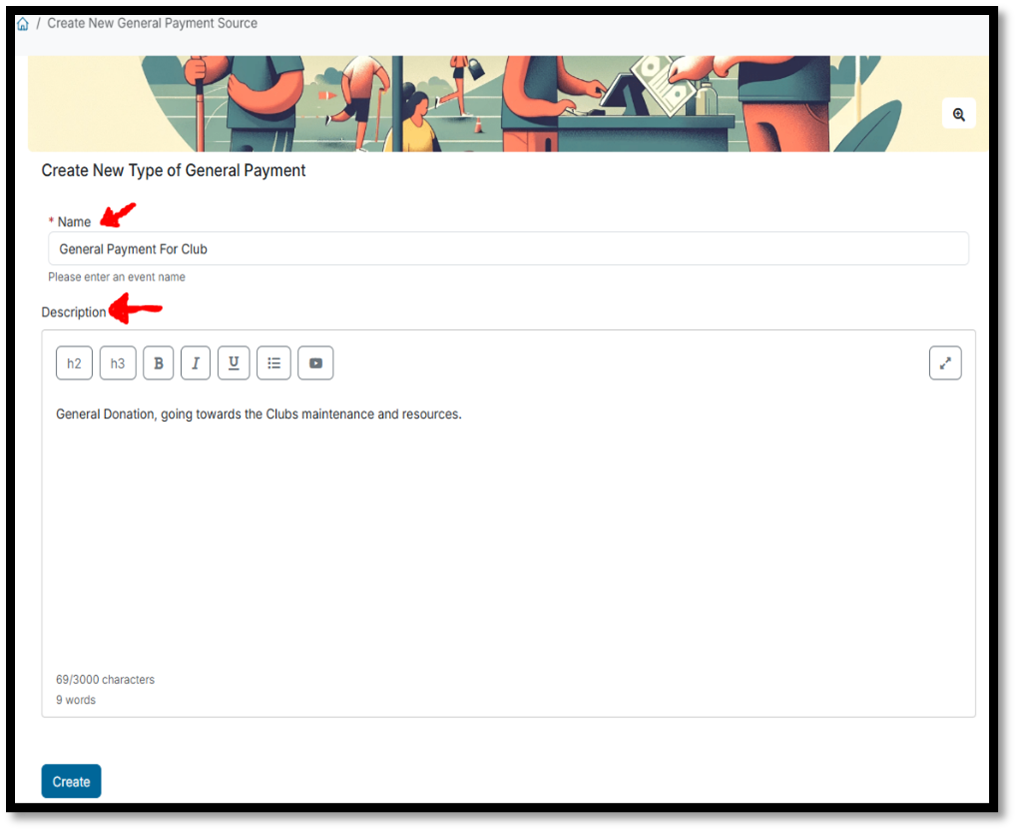
Once all required details are entered:
- Click Create
Your General Payment Type will now be available for use.
👀 How Members Access the Payment
Once created, members can access the payment from the main club hub.
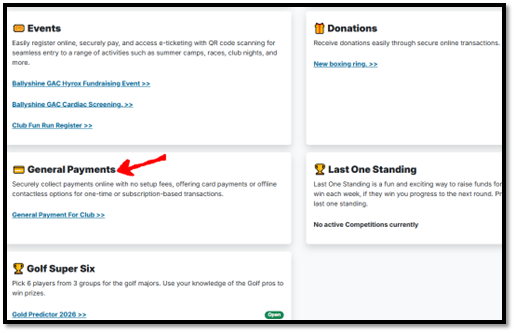
💳 Making a Payment
When a member selects the General Payment option, they will be asked to:
- Enter the reason for the payment
- Input the payment amount
- Provide their payment details
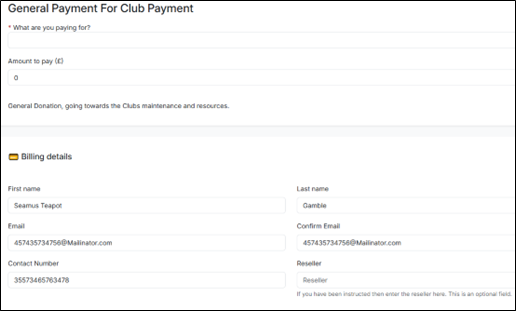
Once submitted, the payment will be processed and recorded by the system.
✅ Summary
You have now successfully:
- Created a General Payment Type
- Enabled flexible payments for your club
- Allowed members to submit custom payment amounts
This feature is ideal for handling non-standard payments quickly and efficiently.