
Appearance
❌ How to Cancel a Member’s Lotto Subscription
This guide explains how a Club Admin can cancel a member’s Lotto subscription (auto-renew ticket) directly from the admin dashboard.
Cancelling a subscription will immediately stop future renewals, and the member will receive a confirmation email.
🔐 Step 1: Log in as Club Admin
Log in to your club’s admin account and navigate to the Lotto section from the Admin Dashboard.
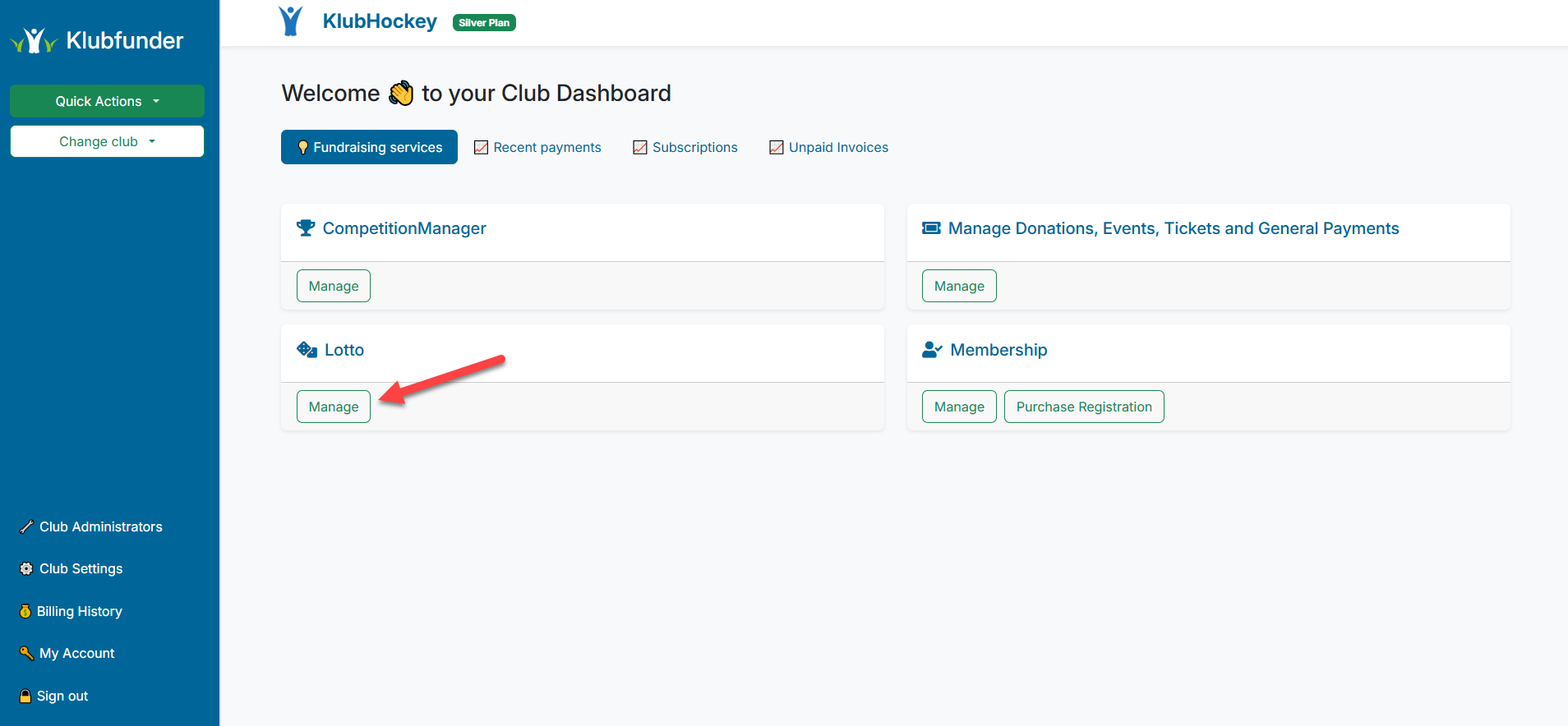
🎟️ Step 2: Open Ticket Sales
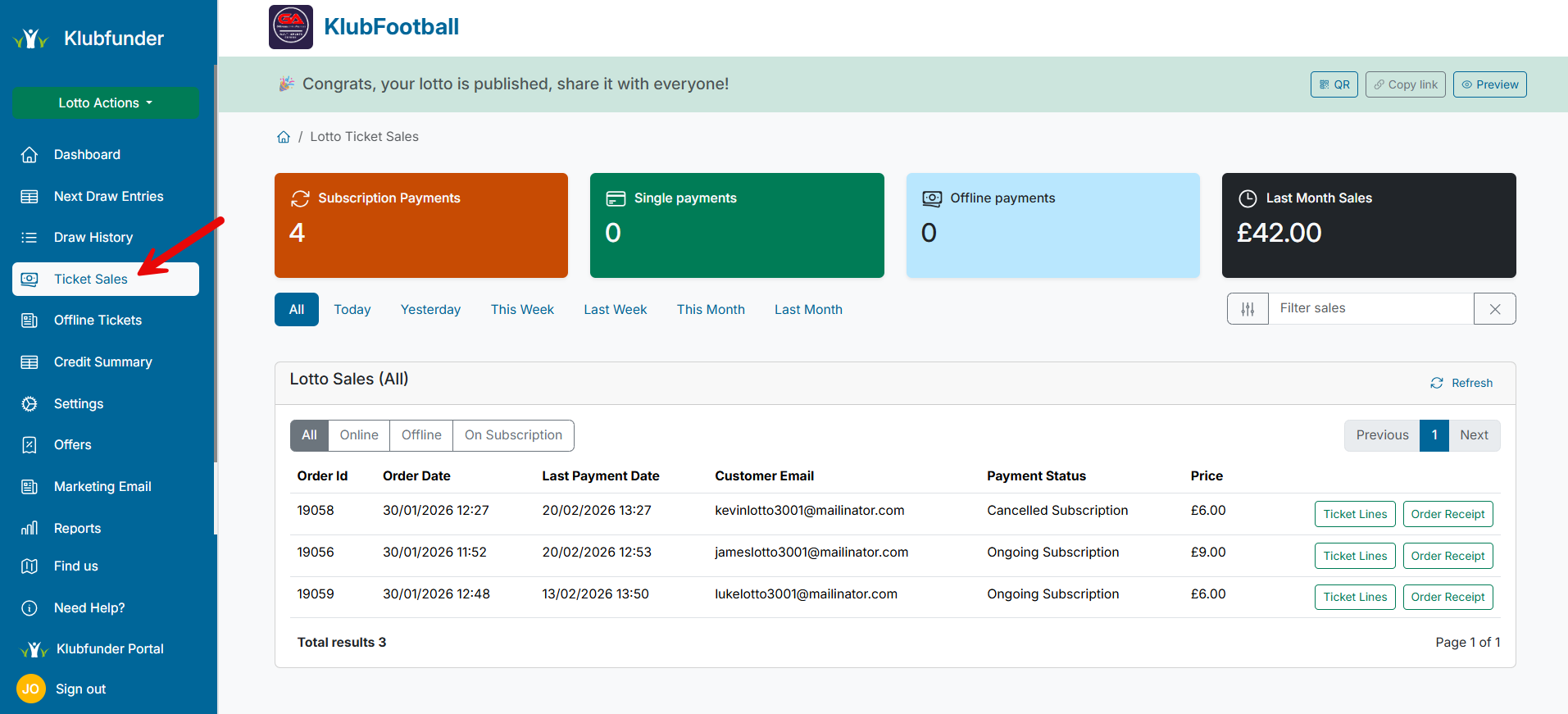
From the Lotto menu, click on Ticket Sales.
This area displays all lotto ticket purchases and subscriptions.
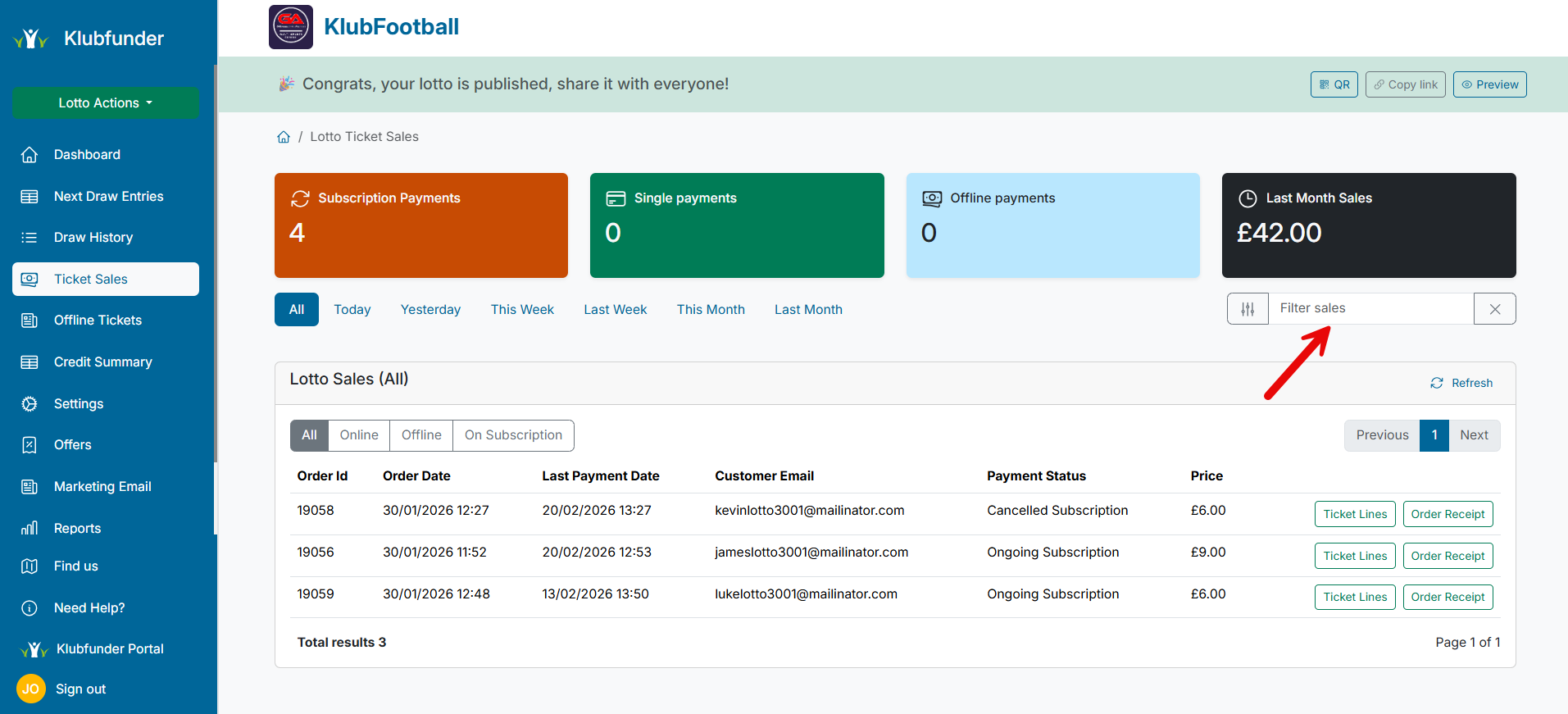
🔍 Step 3: Find the Order
Locate the order you wish to cancel by using:
- The Order ID, or
- The member’s name or email address
Use the search bar to filter results until the correct order appears.
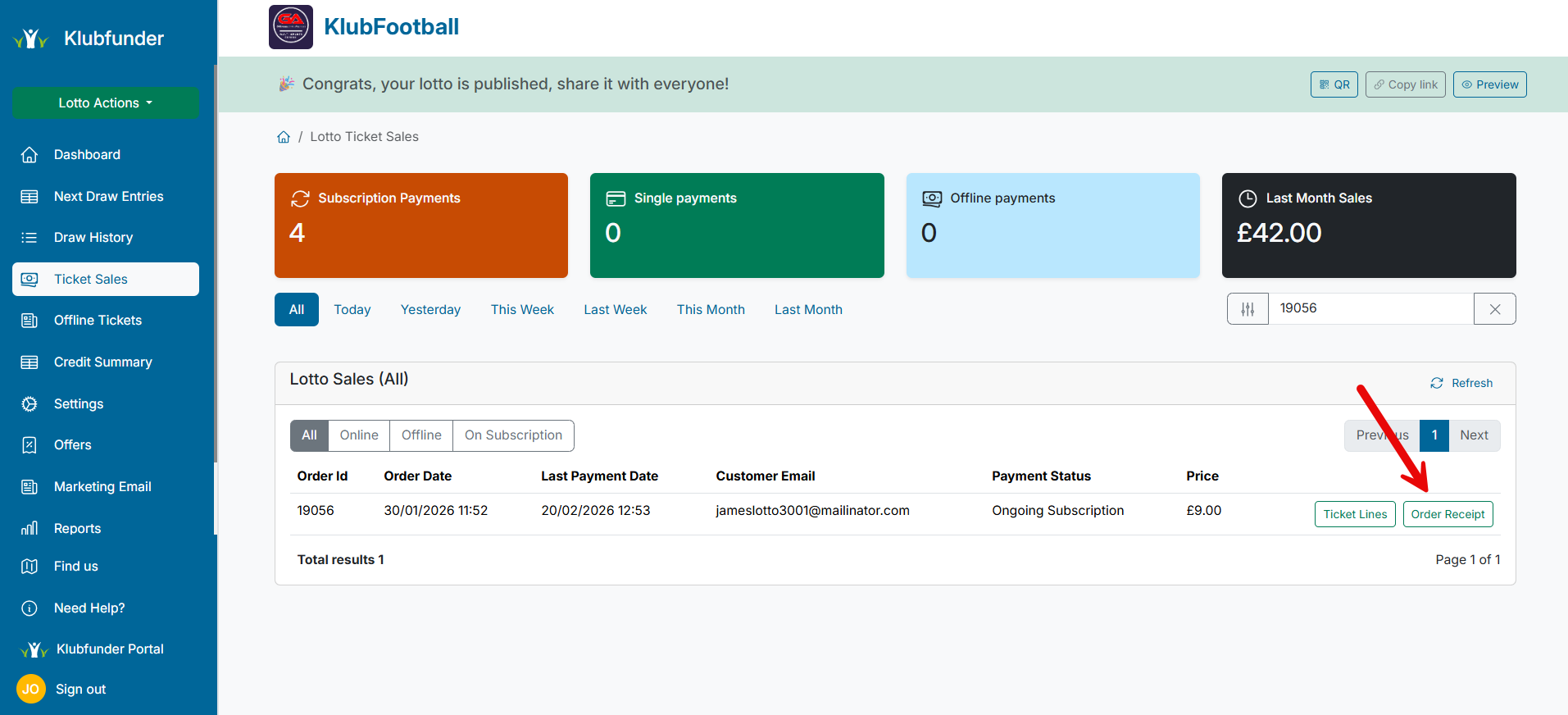
🧾 Step 4: Open the Order Receipt
Once you’ve found the correct order, click the Order Receipt button.
This will open the order details in a pop-up window.
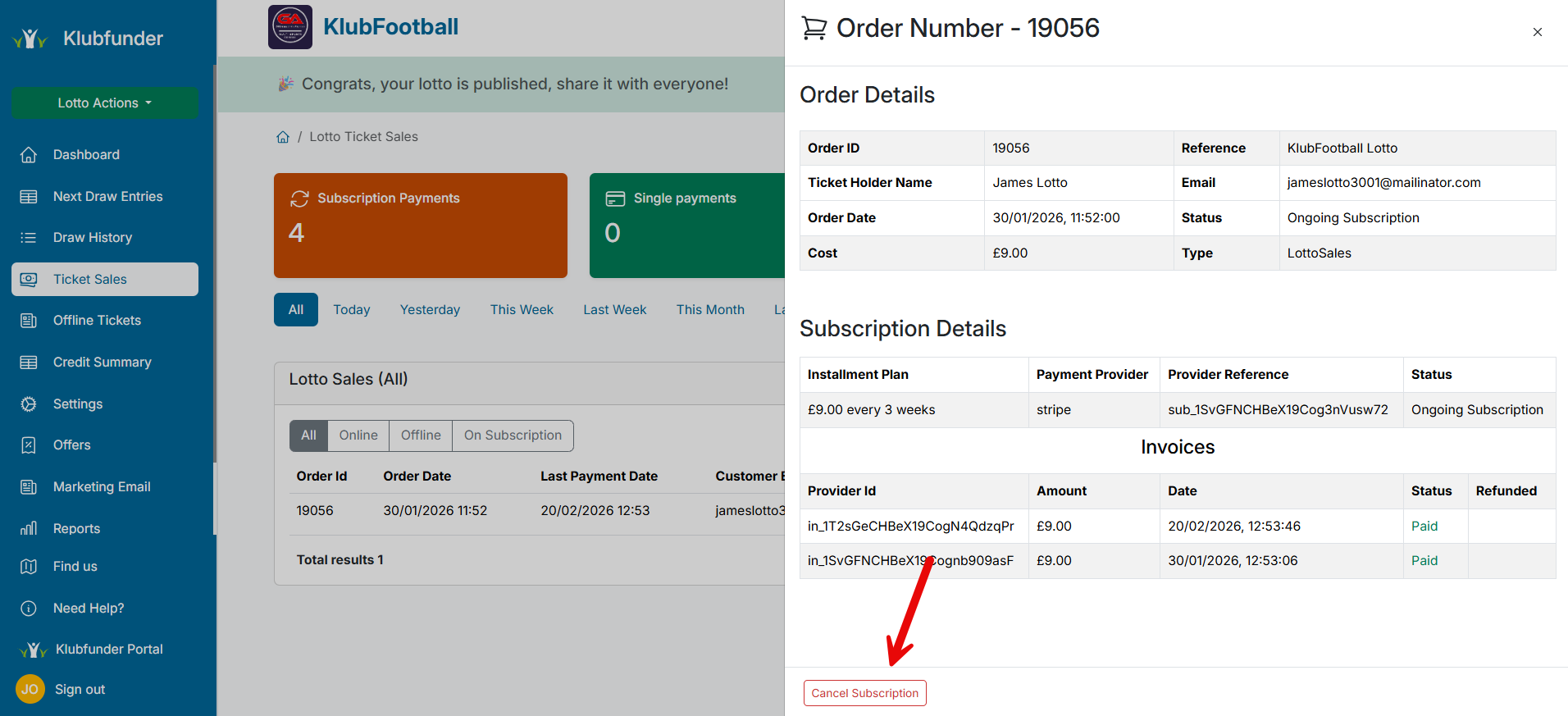
❌ Step 5: Cancel the Subscription
Within the order receipt, click the Cancel button.
You will see a confirmation message indicating that the subscription has been successfully cancelled.
📧 What Happens Next?
- The member’s lotto subscription will stop immediately
- No further payments will be taken
- The member will receive a confirmation email confirming the cancellation
✅ Summary
Cancelling a member’s lotto subscription can be completed in just a few steps from the Ticket Sales area. This ensures subscriptions are managed quickly and transparently for both admins and members.
If you need help or something doesn’t look right, contact support at
📧 hello@klubfunder.team