Appearance
Club Member Dashboard Overview
After signing in as a club member, this dashboard is your main area for managing purchases, subscriptions, account details, and support requests.
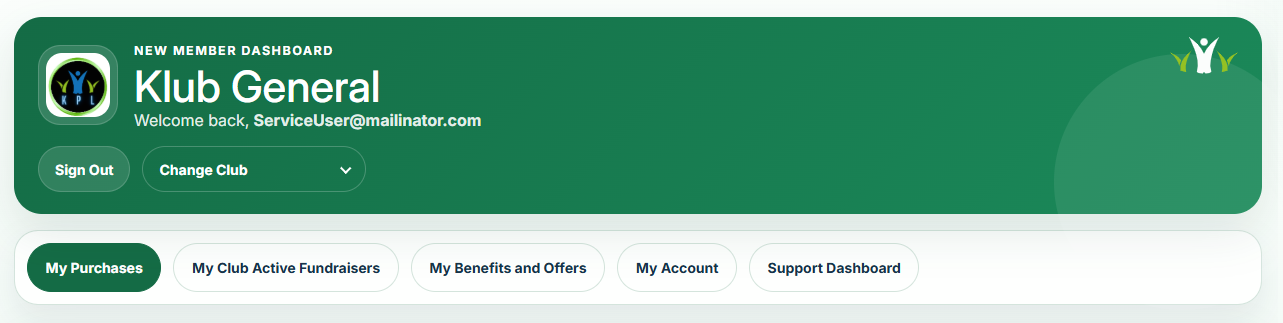
The screenshot below shows what the new dashboard looks like after logging in as a club member.
Dashboard Layout
The new member dashboard includes:
- A member header showing the club name, signed-in email address, Sign Out, and Change Club where available.
- A main navigation area with these tabs:
- My Purchases
- My Club Active Fundraisers
- My Benefits and Offers
- My Account
- Support Dashboard
Find out more about each of the options by clicking on the links on the side bar menu.
What Members Can Do
From the member dashboard, users can:
- Review completed purchases and active subscriptions.
- Manage recurring payments, including cancellation and card updates.
- Access live club fundraisers and purchase directly.
- View club-specific benefits and offers.
- Update personal account details or remove their account.
- Raise and track support requests.